
Download
Aethersx2 BlackHawk
Latest Version 2026
What Is AetherSX2 BlackHawk?
AetherSX2 BlackHawk is built directly on top of AetherSX2’s codebase. The mod is designed to fix graphical bugs in certain games and add features that aren’t present in the standard AetherSX2 app. It runs the same underlying PS2 emulation core as AetherSX2, so if you’re already familiar with AetherSX2’s interface, BIOS setup, game list, controller and mapping BlackHawk will feel familiar too.
BlackHawk has included things like easier cover art downloads, custom resolution presets tuned for different device tiers, built-in patch and pnach (cheat code) support, automatic BIOS handling after install, and both a default and a 3D cover art view for your game library.
|
Name: |
Aethersx2 Blackhawk |
|
Version |
V1.5-4248 |
|
Genre: |
PS2 Android emulator |
|
Device Requirement |
Android 8+ |
|
File size |
22 MB |
|
Ratings |
4.4 |
|
Last update |
5 days ago |
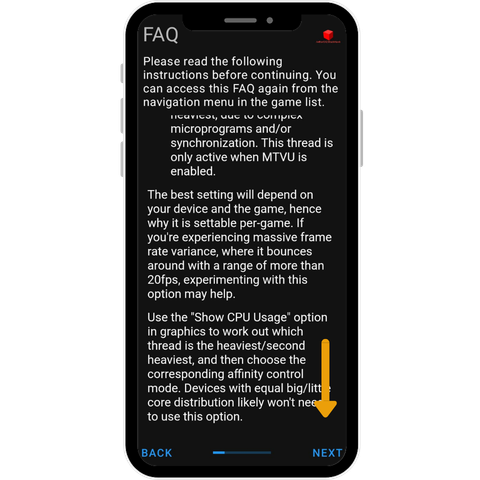
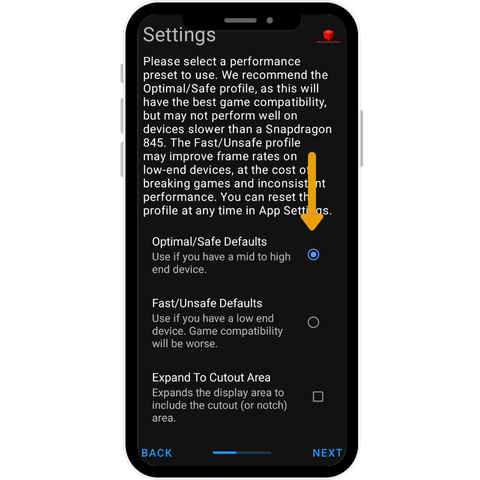
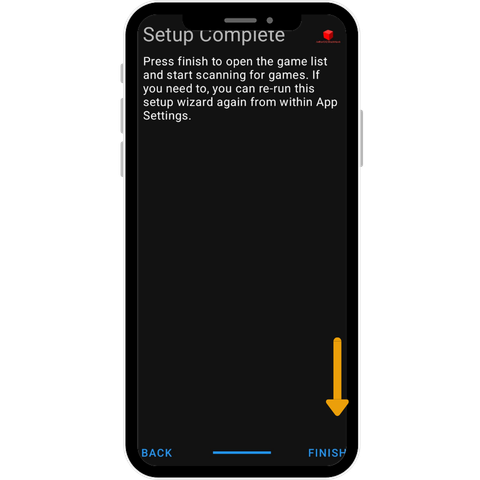
aethersx2 BlackHawk installation Process on android?
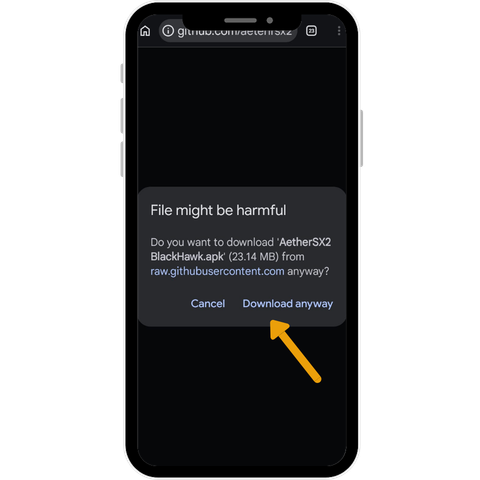
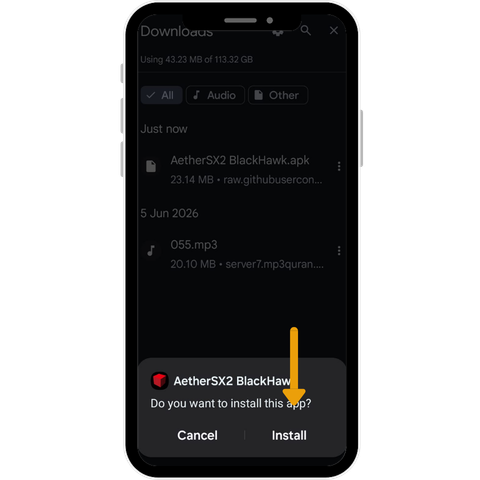
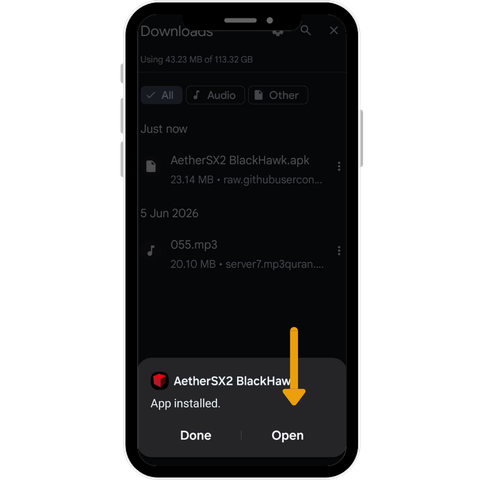
Best Settings for AetherSX2 BlackHawk
|
Device Tier |
Typical Hardware |
What to Expect |
|
Low-end |
Older or budget chipsets (comparable to a Snapdragon 636 class), 2–3GB RAM |
Emulation is possible but often requires lower internal resolution and a lighter renderer setting to stay playable; expect some games to struggle regardless of settings |
|
Mid-range |
More recent mid-tier chipsets, 4–6GB RAM |
Most games should run at native or slightly upscaled resolution with reasonable stability |
|
High-end |
Recent flagship-class chipsets, 6GB+ RAM |
Headroom for higher internal resolution, smoother frame pacing, and fewer compromises across a wider range of games |
Rather than copying a settings guide built for someone else’s exact phone model, use the tier your chipset roughly falls into as a starting point, then adjust resolution and renderer settings downward if you see slowdown. Chipset generation matters more than raw model name — a newer mid-range chip will often outperform an older “flagship” one.
AetherSX2 vs. NetherSX2 vs. BlackHawk vs. Other Forks
Once you understand that AetherSX2 is frozen, the natural next question is which of the community forks is actually worth using. There are more of these than most people realize, and they aren’t interchangeable.
|
Fork |
Type |
Maintainer |
Distribution |
Status |
Best For |
|
AetherSX2 (original) |
Official (frozen) |
Tahlreth / Stenzek |
Previously Google Play; now third-party mirrors |
No longer updated; last stable builds still function |
Users who want the unmodified, original app and don’t need new features |
|
NetherSX2 |
Community, open-source patch |
Trixarian |
GitHub |
Actively maintained, open-source patching process |
Users who want ongoing updates and a transparent, verifiable build process |
|
AetherSX2 BlackHawk / BlackHawk Reborn |
Fan mod |
Credited to XHunterGhostX / XBlackHawkRebornX |
Telegram, Facebook groups, some GitHub presence |
Activity level unconfirmed; releases have historically been frequent but distribution is informal |
Users chasing specific graphical fixes or features not found elsewhere, who are comfortable with less transparency |
|
MMJ, SSindo, MyPS2, and similar mods |
Fan mods |
Various, largely uncredited or unverified |
Informal (forums, groups) |
Unconfirmed |
Not generally recommended without independent verification |